


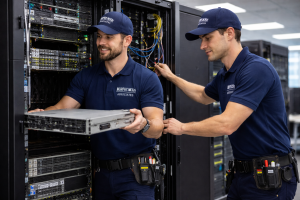
As companies look ahead to 2026, many are planning office relocations, consolidations, or major expansions. Moving into a new space can be an exciting milestone—whether it’s driven by growth, changing workplace needs, or a strategic shift in operations.
However, while real estate decisions, furniture layouts, and design updates often receive the most attention, IT infrastructure is the true backbone of a successful transition. Without proper planning, technology disruptions can quickly lead to downtime, lost productivity, and unnecessary risk.
At Murphy McKay, we’ve supported thousands of corporate relocations over the past 30 years. We’ve seen firsthand how proactive IT coordination makes the difference between a seamless move and a stressful one. Below are the top priorities we recommend for any organization preparing for an office move in the coming year.
1. Conduct a Full IT Inventory
Before planning the physical move, it’s essential to understand exactly what technology assets you have in place. A comprehensive inventory helps clarify:
-
What equipment is moving versus being replaced
-
Which devices are outdated or near end-of-life
-
What systems require special handling or shutdown procedures
This step ensures nothing is overlooked and prevents surprises once relocation begins.
2. Assess Network and Infrastructure Requirements Early
Technology needs should be evaluated well before move-in day. This includes verifying critical infrastructure such as:
-
Power capacity and redundancy
-
Structured cabling and patch panels
-
Wi-Fi coverage and access point placement
-
Server room layout, cooling, and rack requirements
Early assessments allow your IT plan to align with construction and facilities work, rather than being rushed at the last minute.
3. Build a Relocation Timeline Aligned With Facility Milestones
An office move is not a single event—it’s a coordinated timeline of dependencies. IT tasks must sync with key facility deadlines, including:
-
Build-outs and final inspections
-
Furniture installation
-
ISP activation and testing
-
System cutovers and equipment staging
A detailed timeline ensures IT transitions happen in the right sequence and reduces disruption to business operations.
4. Identify Risks and Create a Continuity Plan
Every relocation carries risks, especially when mission-critical systems are involved. Organizations should develop a continuity plan that addresses:
-
Backup and recovery procedures
-
Temporary network access if delays occur
-
Secure transport of sensitive devices
-
Minimizing downtime during cutovers
The goal is not only to move equipment, but to maintain operational stability throughout the process.
5. Engage Experienced IT Relocation Specialists
IT moves require more than standard logistics. They demand technical knowledge, careful coordination, and secure execution.
Working with experienced relocation professionals ensures:
-
Proper labeling, packing, and transport
-
Safe handling of servers and network gear
-
Organized reinstallation and testing
-
Reduced strain on internal IT teams
Specialists manage the technical details so your organization can focus on day-to-day priorities.
A Move Is More Than a Change of Address
An office relocation is not just about moving desks and hardware—it’s an opportunity to strengthen your technology foundation for the future.
With the right planning, your team can walk into a workspace that is fully operational on day one, with networks running, systems protected, and minimal disruption to productivity.
At Murphy McKay, we pride ourselves on delivering secure, efficient, and professional IT relocation support for organizations across the Bay Area and beyond. If your company is preparing for a move in 2026, we’d be glad to help you plan early and execute with confidence.